
People, HR and Timesheets
The hours are approved where the project is run.
Most delivery organisations keep their people in one system, their timesheets in another and their project costs in a third. DemandFlow® keeps the staff record, the working calendar, the leave, the weekly timesheet, the line manager’s approval, the utilisation view and the project finance tracker together, so approved hours are costed at the staff member’s day rate and offered to the project as actuals.
The Challenge
The timesheet tool knows nothing about the project, and the project knows nothing about the hours.
Hours are approved in a tool that cannot see the project they were booked to. Utilisation is worked out in a spreadsheet at month end. The cost of a project’s own people reaches its finance tracker weeks late, if at all, and the capacity a resourcing plan assumes ignores the leave and bank holidays HR already knows about.

Three systems, one workforce
Employees, contractors and managed service staff sit in different records with different managers, calendars and rates, and no single view of who is available.

Approvals without context
A manager approves a number of hours without seeing the project, task, deal or activity they were booked to, or the overtime they carry.

Actuals re-keyed
Approved hours are costed by hand and typed into the project tracker, so the finance view lags the work and the two never quite agree.
Staff and organisation
One staff record, an organisation that reconciles itself
A staff record holds personal, contact and emergency details, status with start, end and probation dates, role with resource roles and one of 18 job functions, engagement as Employee, Contractor, Managed Service or Work Package with vendor and purchase contract, a working pattern with calendar, and compensation with day rate, salary, currency and spend type. Department is a lookup on the entity, business unit, division and department chain, with division and cost centre derived from it, and every hire, promotion, transfer, compensation, manager, status or engagement change made on the record is written as an effective-dated history row.
- Skills linked to staff with proficiency Basic to Excellent and Mandatory or Desirable, plus a resource role match from the job title
- Training and certification records with expiry, renewal frequency, provider, certificate reference and related skill, against a shared credential catalogue of 2,724 entries
- Working calendars by region with bank holidays, and leave requests with requested, approved, rejected and cancelled statuses that reduce capacity when approved
- Microsoft 365: Intune users matched to staff by work email then name with licences written to the record, and Entra users created from the staff record
Timesheets and approvals
Booked to real work, approved by the line manager
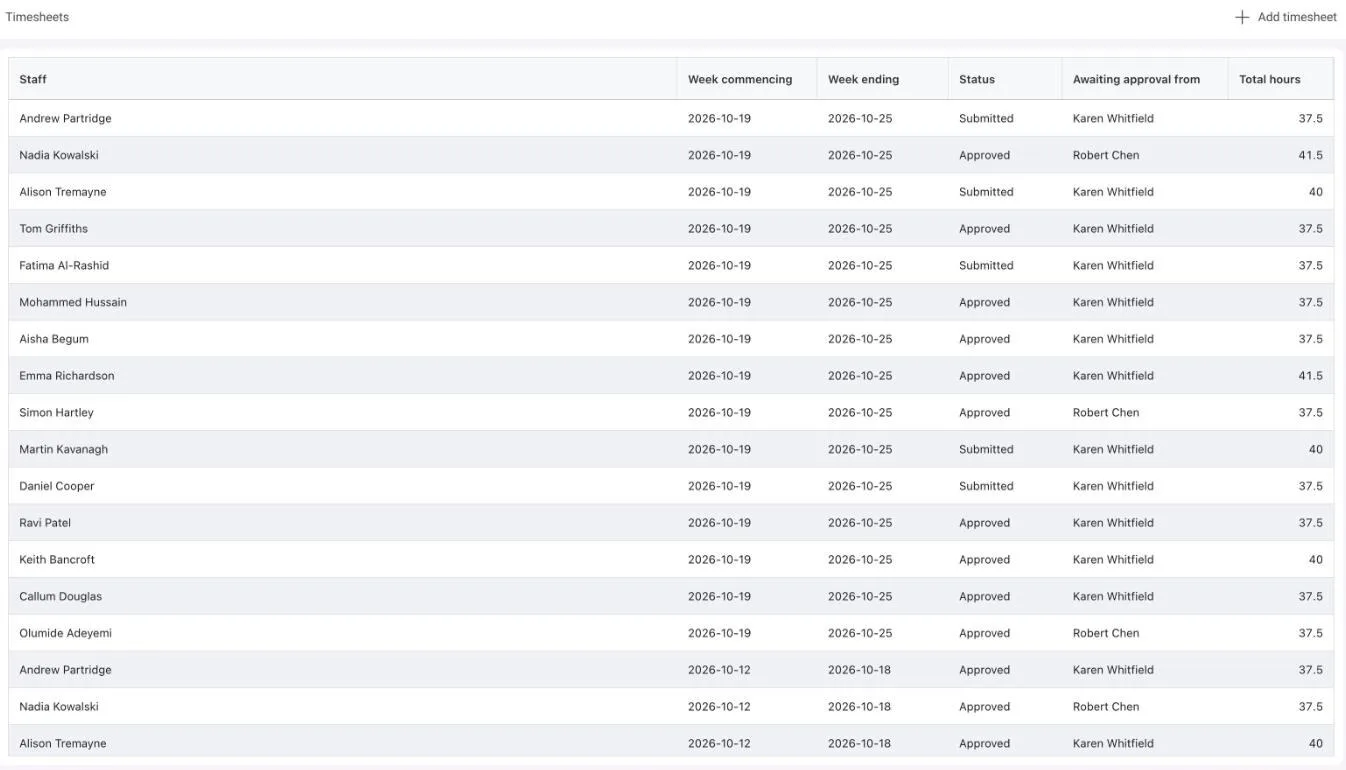
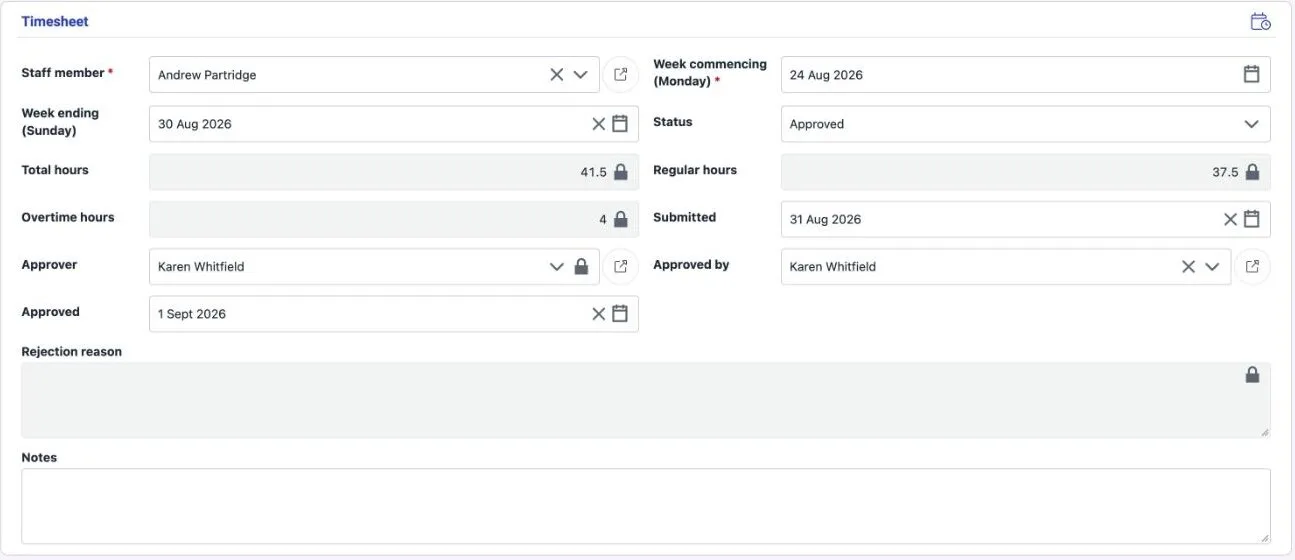
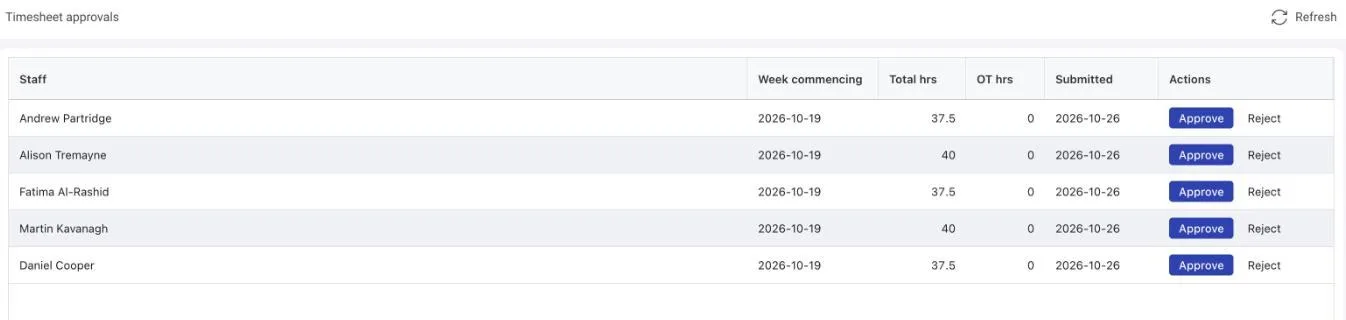
The weekly editor holds one row per piece of work with hours from Monday to Sunday. Each row has a time type and is booked to a project, a vacancy, a deal or an operations activity, with an optional work task, story or budget code. An incomplete row blocks submission. Submit stamps the staff member’s line manager as approver, and the Approvals screen lists that manager’s queue with total and overtime hours and Approve and Reject actions. Approve records who approved and when; Reject returns the sheet to Draft with a reason. Contractors on a placement submit timesheets and expense claims with receipts through the worker portal.
Utilisation and capacity
Utilisation from approved hours, capacity that respects calendars and leave
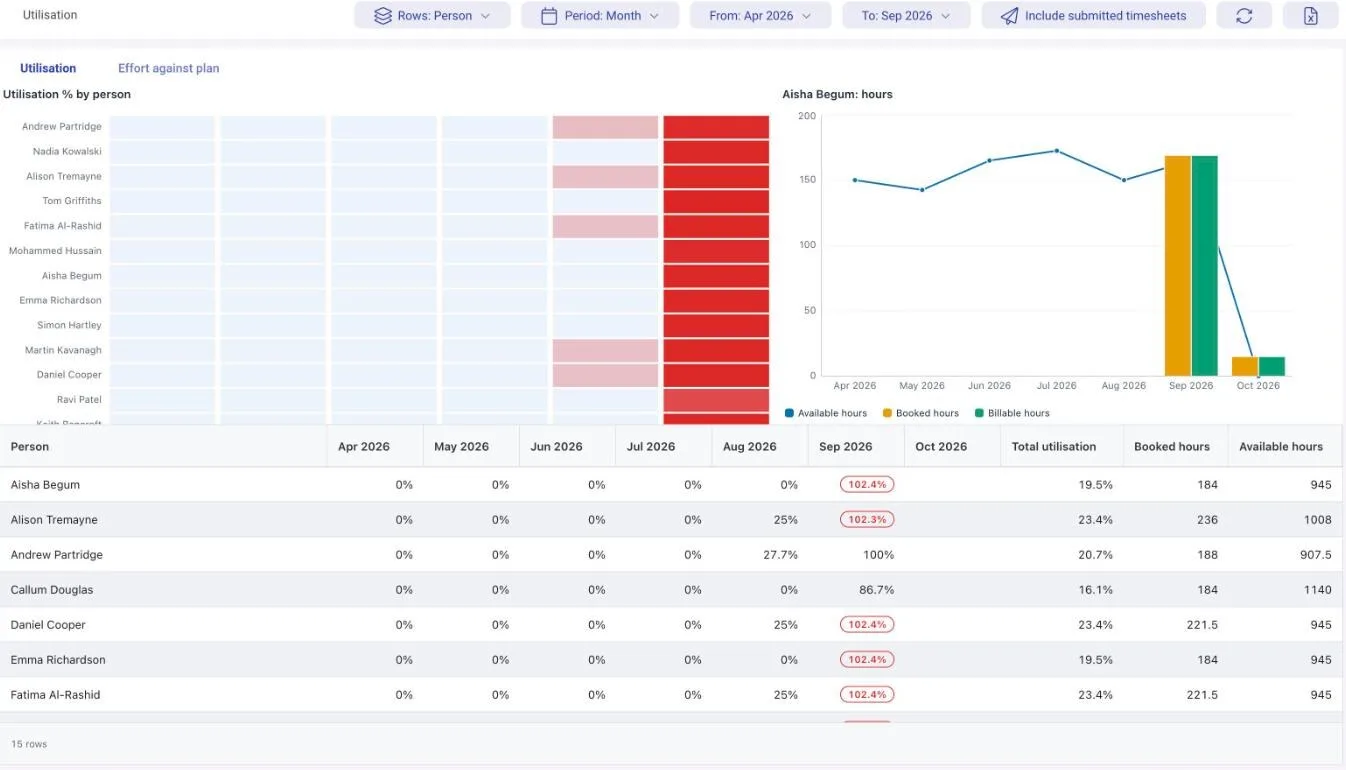
Utilisation runs by person, team or department, by month or week, from approved timesheets with submitted sheets included on request: a heat map, a chart of available, booked and billable hours, and a grid with monthly utilisation, booked and available hours, with months over capacity highlighted, plus effort against plan per task. A day’s capacity comes from the working pattern, falls to zero on non-working days and calendar holidays, and is reduced by approved leave. Resource availability folds work tasks, support tasks, backlog items and project allocations into daily load against that capacity, amber from 80 percent and red at or over, and capacity and demand is a heat map by department, role, skill or team.
Project cost actuals
Approved hours become finance tracker actuals on confirmation
- When a project’s finance tracker opens, approved timesheets booked to that project and not yet reconciled are costed per staff member per month: hours divided by hours per day, times the day rate, times the time type multiplier, plus any premium
- The result is offered in a popout; OK posts actual cost and days onto the tracker lines matched by staff member, creates missing lines with the staff member’s spend type and day rate, and marks the timesheets reconciled
- The user confirms every time; nothing posts silently, and the behaviour can be switched off per tenant
- Time types carry a multiplier, premium per hour, paid and billable flags and whether they count towards overtime, so on-call and overtime are costed as agreed
What changes
One record set for people, hours and project cost
- Every timesheet row points at the project, vacancy, deal or activity the rest of the platform plans and funds
- Managers approve from their own queue, with overtime in view, and rejections carry a reason back to the staff member
- Utilisation and availability are read from approved hours and real calendars, not a month-end spreadsheet
- Project actuals arrive from approved timesheets at the staff member’s own rate, confirmed by a person, never re-keyed
- Contacts, leads, candidates and patent inventors share one person model, with staff records held as HR records linked by user and email
- Recruitment onboarding, Key Information Documents, IR35 determinations and candidate data retention run in the same system
One Platform. Strategy to Stack.
Ready to Take Control?
Join the leading companies who have transformed their technology management with DemandFlow®.
Book a personalised demo today.