
IT Service Management
Every request, asset and resolution in one place.
Run the full service desk – incidents, requests, problems, changes, a service catalogue, a CMDB and a knowledge base – on the same platform that already tracks your assets, your monitoring and your SIEM. The ticket in front of your engineer is linked to the real device, not a copy of it.
The Challenge
A service desk that doesn't know what it's looking at is just a mailbox.
Most teams run support from a ticketing tool that has no idea what the affected device is, a CMDB that drifted years ago, a service catalogue kept in a wiki, and knowledge locked in people’s heads. The tools don’t talk, so every ticket starts with the same question: what are we actually dealing with? DemandFlow® answers it before the engineer opens the record.

Tools that don't talk
Ticketing in one system, assets in another, monitoring in a third. The link between an incident and the device, service or contract behind it is a manual lookup, repeated on every ticket.

Heavyweight or threadbare
Enterprise ITSM suites carry the cost, consultants and complexity of a platform you’ll use a fraction of. The cheap alternatives stop at a ticket queue and leave problem, change and the CMDB behind.

Knowledge that leaks
Fixes live in inboxes and the memory of whoever was on shift. Without a knowledge base fed by real resolutions, the same incident gets solved from scratch, again and again.
Service Desk
One queue. Every kind of request.
Incidents, service requests, problems, change requests and new-user requests share a single ticket model, with priority, impact, urgency, category and assignment built in. Alerts from monitoring and the SIEM can raise tickets automatically, so the desk works one prioritised queue. Route to a person or a group, escalate through Level 1 to 3 and management, and keep the full history on the record.

Every request type
One structure covers incidents, service requests, problems, changes and joiner requests. Priority, impact and urgency drive a clear queue, and categories keep hardware, software, network, access and security work where it belongs.

Assignment and escalation
Assign to an individual or a support group, escalate through defined levels when it stalls, and record who owns the work at every step. Nothing sits unowned and nothing escalates silently.

SLAs you can prove
Policies set response and resolution targets by priority. Each ticket shows its targets and a live status – within SLA, at risk or breached – so the queue is sorted by what is about to slip, not just by when it arrived.
Service Catalog
A front door for requests, with approvals built in.
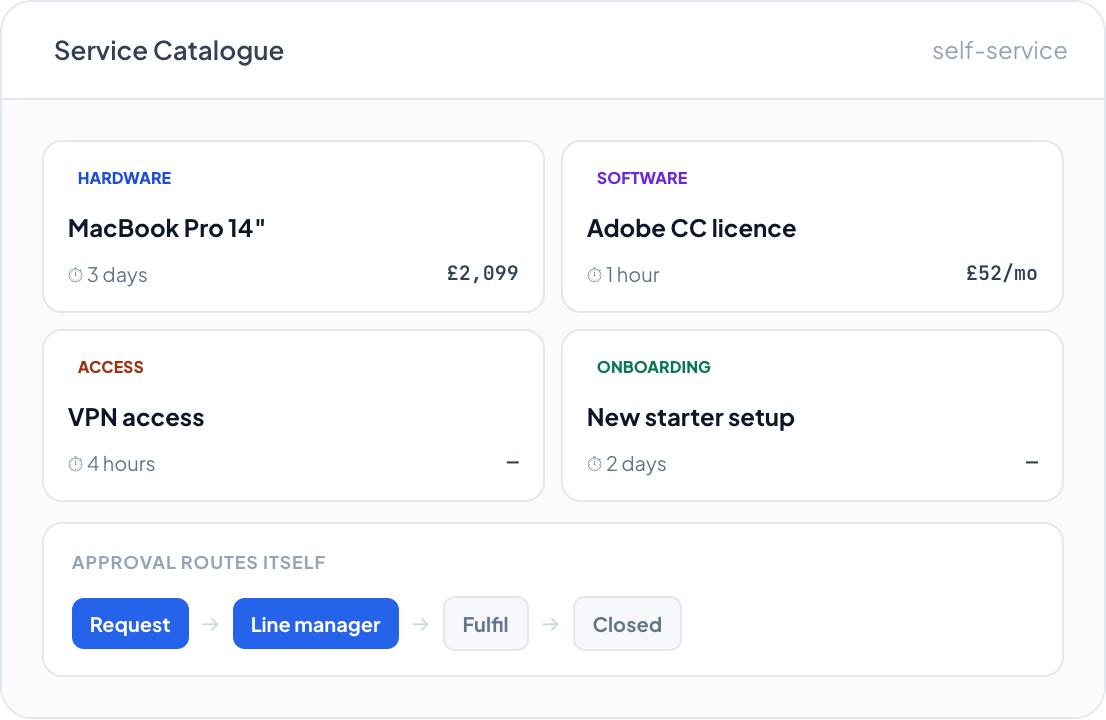
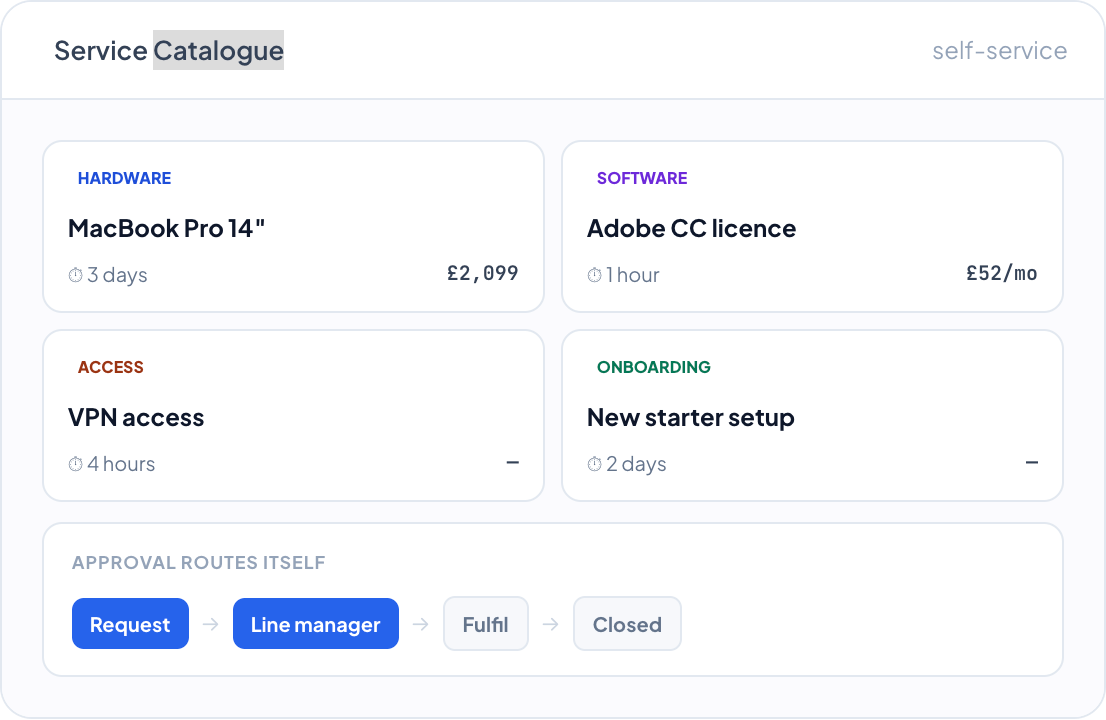
Publish the things people actually ask for – hardware, software, access, accounts – as catalogue items with a description, delivery time, cost and owner. Each item raises a pre-filled request and routes for approval automatically, so the desk spends its time fulfilling, not chasing.

Standard offerings
Each catalogue item carries its category, delivery time, cost, service owner and support group. Requesters choose from a clear menu, and every request arrives complete and correctly classified.

Approvals that route themselves
Items that need sign-off go to the requester’s line manager, the service owner or a named approver – by configuration, not by email. Approval, fulfilment and closure are tracked as one flow.

From request to fulfilment
A catalogue item creates a pre-filled request ticket and carries it from submission through approval and fulfilment to closure, with the audit trail kept against the record the whole way.
CMDB & Service Mapping
A configuration database wired to your live estate.
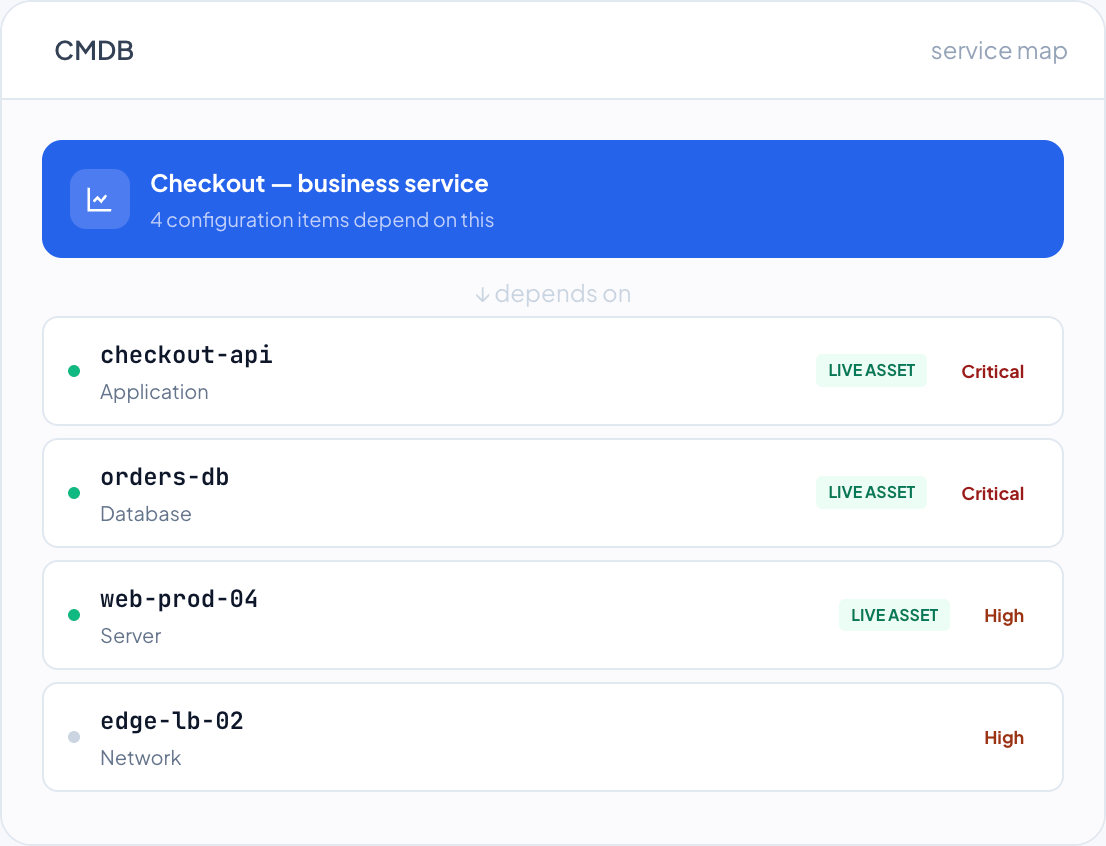
Configuration items – services, applications, servers, databases, network devices, storage, VMs, containers and cloud resources – are held with their tier, environment and owner, mapped to the business service they support, and connected to each other in a dependency graph. Where a CI is a real device, it links to the live asset record behind it.

The whole estate as CIs
One model covers services, apps, infrastructure, virtual and cloud. Each CI carries tier, from business-critical to non-critical, environment, owner and support group, so criticality is explicit, not assumed.

Dependencies and impact
CIs connect to each other in a dependency graph and roll up to the IT service they support. When a CI changes or fails, you see what depends on it and which business service is affected, before you act.

Linked to live assets
Where a CI represents a physical or virtual device, it links to the agent-managed asset record. The configuration, software and posture behind that CI stay current from the asset, so the CMDB connects to reality instead of standing apart from it.
Linked to Your Live Assets
The device on the ticket is the real one.
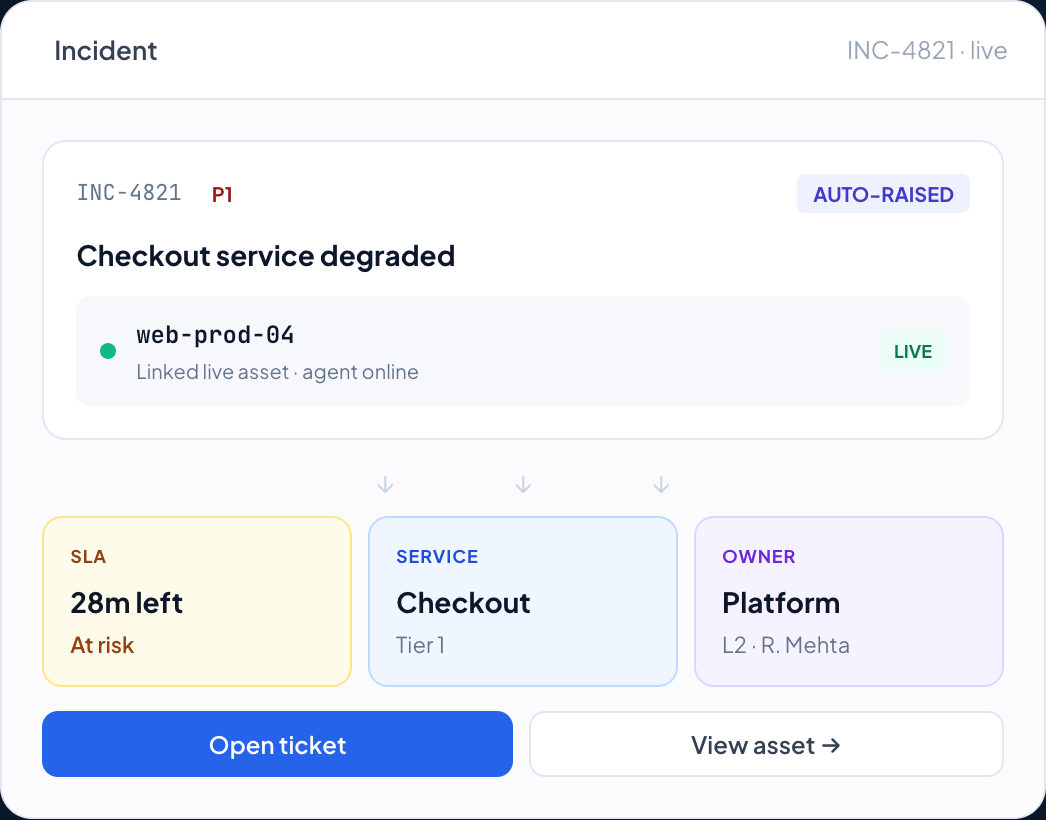
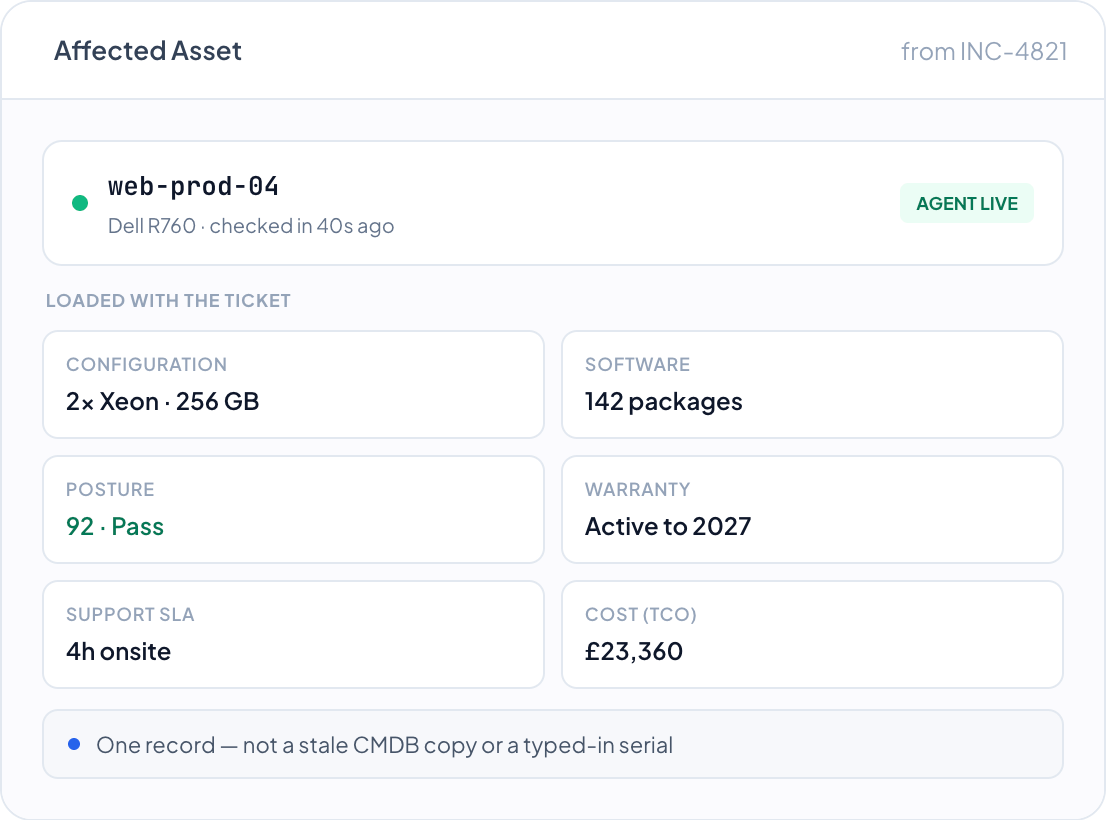
The affected asset on a ticket is the live record from DemandFlow® ITAM – its configuration, installed software, security posture, warranty, owner and cost. The engineer opens the ticket and sees the actual device, not a stale CMDB row or a serial number typed in by hand.

Real context, instantly
Config, software inventory and posture come straight from the agent on the device. The first question on every ticket – what are we dealing with – is already answered when the record opens.

Cost and contract in view
Warranty status, support agreement and the asset’s total cost of ownership sit alongside the ticket, so fix-versus-replace and whether it is still under cover are answered from the record, not chased down.

One estate, one truth
Tickets, assets, CMDB and contracts share one data model. Reporting spans the whole picture without joining systems, and there is one version of every device, not three that disagree.
Problem & Change
Stop fighting the same fire twice.
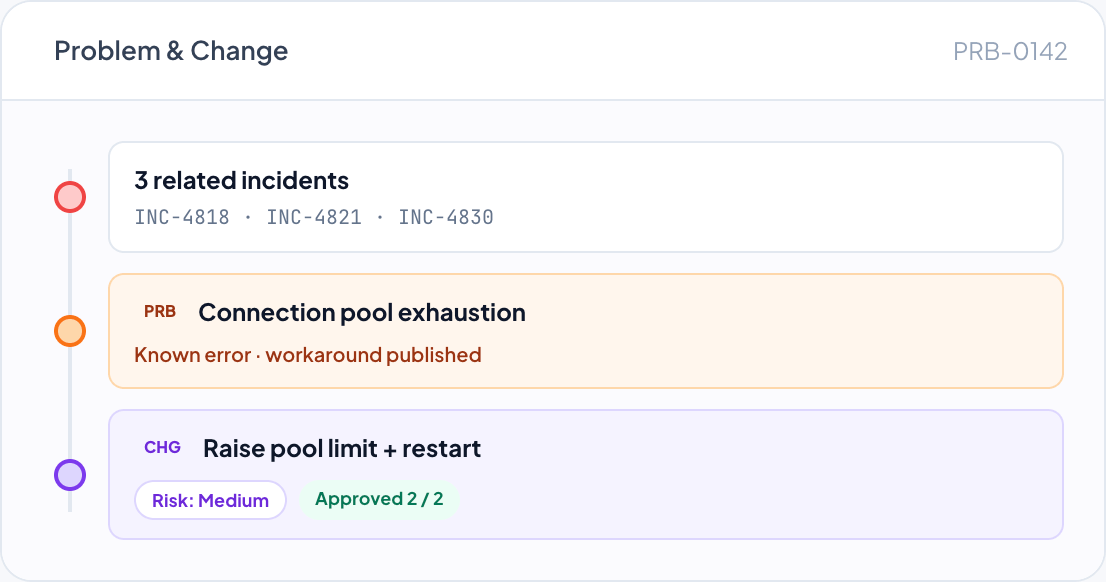
Recurring incidents roll up into problems with root-cause analysis, workarounds and known errors. Fixing them properly means change – with risk assessment, an approval workflow and implementation planning – so the permanent fix is controlled, recorded and reversible.

Problem management
Link related incidents to a single problem, capture the root cause and publish a workaround as a known error. The desk resolves repeat tickets in minutes while the underlying fault is worked once.

Controlled change
Change requests carry risk assessment, approval and implementation planning. Every change is reviewed and recorded before it touches production, with the before-state captured so you can answer what changed after the fact.

The full chain
Incident links to problem, problem links to change, change links to the asset and CMDB it touches. The line from a login outage to a recorded, explained fix is unbroken.
Knowledge Base
Every resolution makes the next one faster.
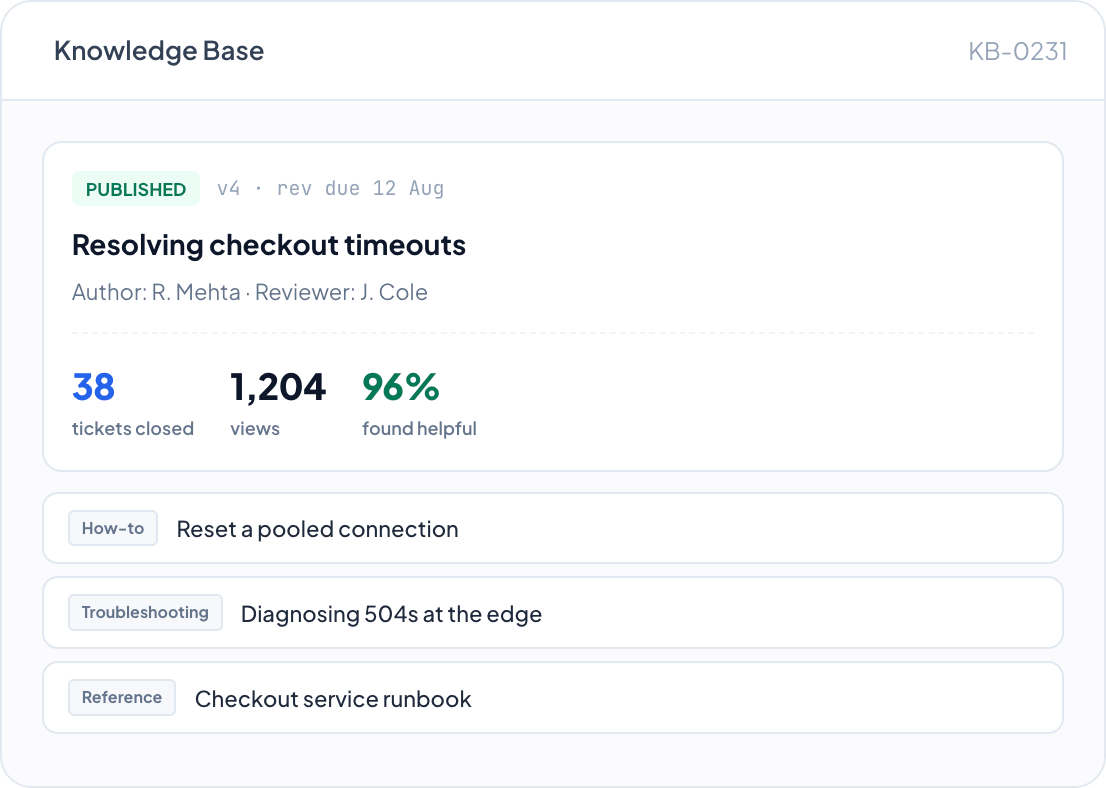
An internal knowledge base holds how-to guides, troubleshooting, FAQs, policies, procedures and reference material. Articles are versioned, reviewed on a schedule and rated by the people who use them – and resolutions link straight to the article that solved them.
Knowledge from real fixes
Closing a ticket can attach the article that resolved it. Articles track how many tickets they’ve closed, so the knowledge base reflects what actually works, not what someone meant to document.
Governed, not stale
Each article carries a version, an author and reviewer, and a next-review date. Knowledge is kept current on a cadence, with draft, review and published states, so staff trust what they read.
Rated by its readers
View counts, average ratings and helpful yes/no votes show which articles earn their place and which need work. The base improves from real use rather than guesswork.
Self-Service Portal
Branded self-service, ready to go.
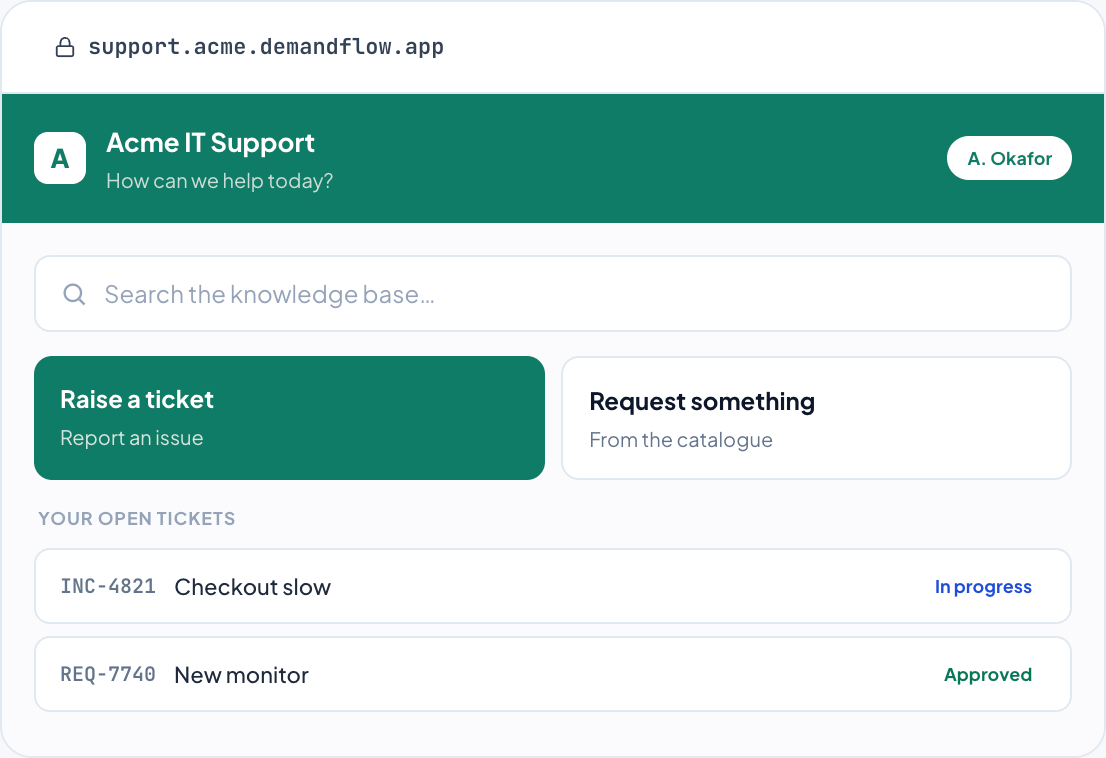
Give users and customers a portal where they raise and track tickets and search a public knowledge base, styled with your logo and colours. Run more than one – an IT support portal for staff, a separate portal for contractors – each on its own DemandFlow subdomain, configured to show only what its audience should see.
Raise and track, self-serve
Users submit tickets, follow progress and find answers without emailing the desk. Ticket submission, knowledge base, user accounts and CAPTCHA are switched on per portal, so each one fits its audience.
Your brand, no setup
Each portal carries your logo, colours, title and welcome message on its own DemandFlow subdomain. It looks like your service, with nothing to host and no separate product to buy.
Public and internal knowledge, kept apart
Public articles for the portal are separate from the internal knowledge base, so customers see customer-facing content and staff keep their runbooks private – from one place.
One platform. Every ticket. Every asset. Every service.
Replace your service desk, CMDB, service catalogue, knowledge base and customer portal with one platform that already knows what every asset is, what service it supports and what it costs to run – from the first alert to the closed ticket.
One Platform. Strategy to Stack.
Ready to Take Control?
Join the leading companies who have transformed their technology management with DemandFlow®.
Book a personalised demo today.